
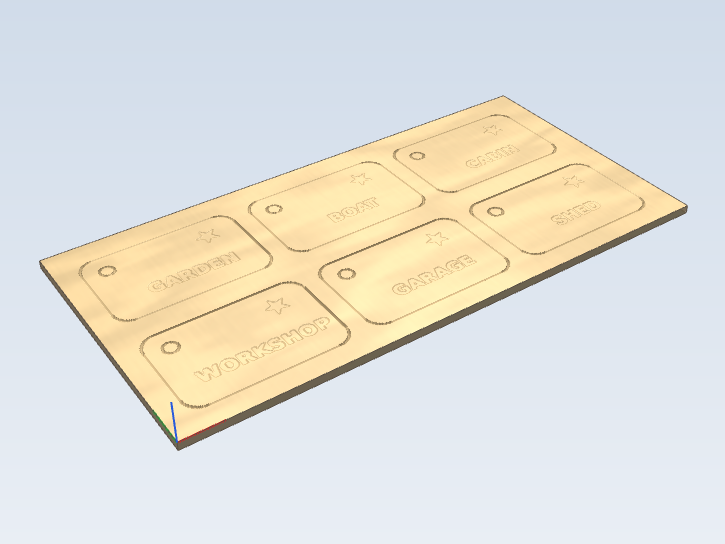
Six plywood key tags with a laser: the names and stars are filled with the Laser Fill toolpath (0.15 mm line interval, outlined), the holes and tag outlines cut in two passes with Laser Cut. 200 x 100 x 3 mm; made for a diode laser on a Grbl machine (pick a laser post processor).
One of the example projects that come with Carvio: the free trial opens it, and a licence lets you save your own files, G-code and jobs. Open it, look at how each toolpath is set up, then change it into your own.
Tools, speeds and feeds are examples. They were chosen so the preview looks right, not for any machine or material: pick your own tools and rates before you cut (the project notes say the same).
Tags: laser, keyring, tags, plywood, example
Carvio project: Laser key tags
laser_key_tags.carvio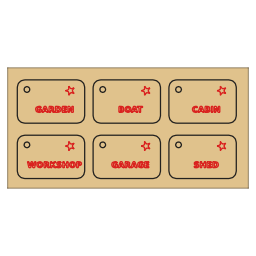
| Material | 200 mm × 100 mm × 3 mm |
|---|---|
| Stock | Plywood |
| Objects | 24 (18 vectors, 6 text) |
| Layers | 2 |
| Toolpaths | 2 |
| Size | 558.8 KB |
Toolpaths
- Engrave tags Laser Fill · 0.1 mm kerf Laser, 100% power
- Cut tags Laser Cut · 0.1 mm kerf Laser, 100% power
Project notes
Laser key tags
Six key tags, 56 x 36 mm each, from a 200 x 100 mm sheet of 3 mm plywood on a laser.
- Engrave tags: the words and stars are burned as a raster fill, 0.15 mm between lines, with the outline traced afterwards for a crisp edge. Power and speed are set on the toolpath; change the words on the Text form.
- Cut tags: the holes and then the outlines are cut on the line in two passes at full power. Cutting the holes first keeps each tag held in the sheet while its hole is burned.
- Save the toolpaths with one of the Grbl_Laser post processors; the Z-aware ones lift the head between tags.
Tools, speeds and feeds are examples
The tools, feed rates, plunge rates, spindle speeds and pass depths in this project are examples only. They were chosen so the toolpaths look right in the preview, not for any particular machine or material. Before you cut, open each toolpath, pick a tool from your own Tool Database and set the rates your machine and material need. Check the material size and thickness in Job Setup too, and the post processor in Save Toolpaths.
Tools used
- Laser 0.1mm · ⌀ 0.1
Reviews
No reviews yet.