
CNC design & CAM for routers and lasers
From idea to finished part, on one screen.
Carvio draws your vectors, models 3D reliefs, makes the toolpaths, shows them cutting a block of virtual wood, and then sends the job to your machine. One program, no plug-ins, no cloud.
Windows, macOS and Linux · the free trial opens the example projects and does everything in design mode · Carvio 1.0.0
The toolpath preview: the exact tool shape carves a virtual block, on the GPU, as fast as you can scrub.
Everything between the drawing and the machine
Set up the job, draw, model, make toolpaths, preview, cut: the workflow every CNC user knows, in one window. The first chapter of the help walks you through a first part in a few minutes.
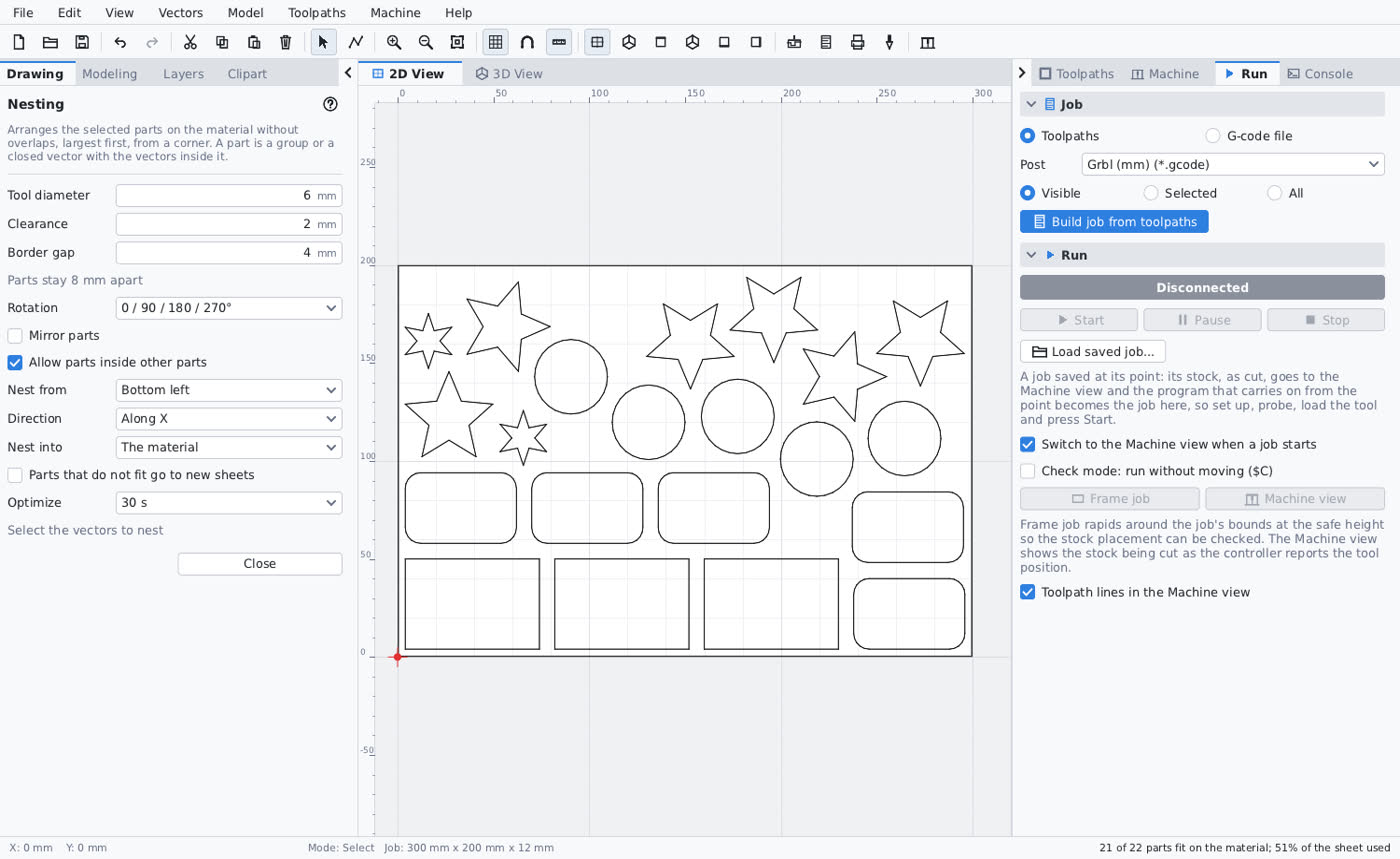
Draw, import, nest
Rectangles, circles, polygons, stars, polylines, arcs, Bézier curves and text in any TrueType font. Node editing, offsets, booleans, fillets, arrays, dimensions. Import SVG, DXF, PDF, STL, OBJ and bitmaps, trace images into vectors, and nest parts on the sheet with true-shape nesting that keeps shuffling until you stop it.
- Layers, sheets and double-sided jobs
- Paste files, images or SVG straight from the clipboard
- A clipart library with your own folders and previews
Toolpaths for every job
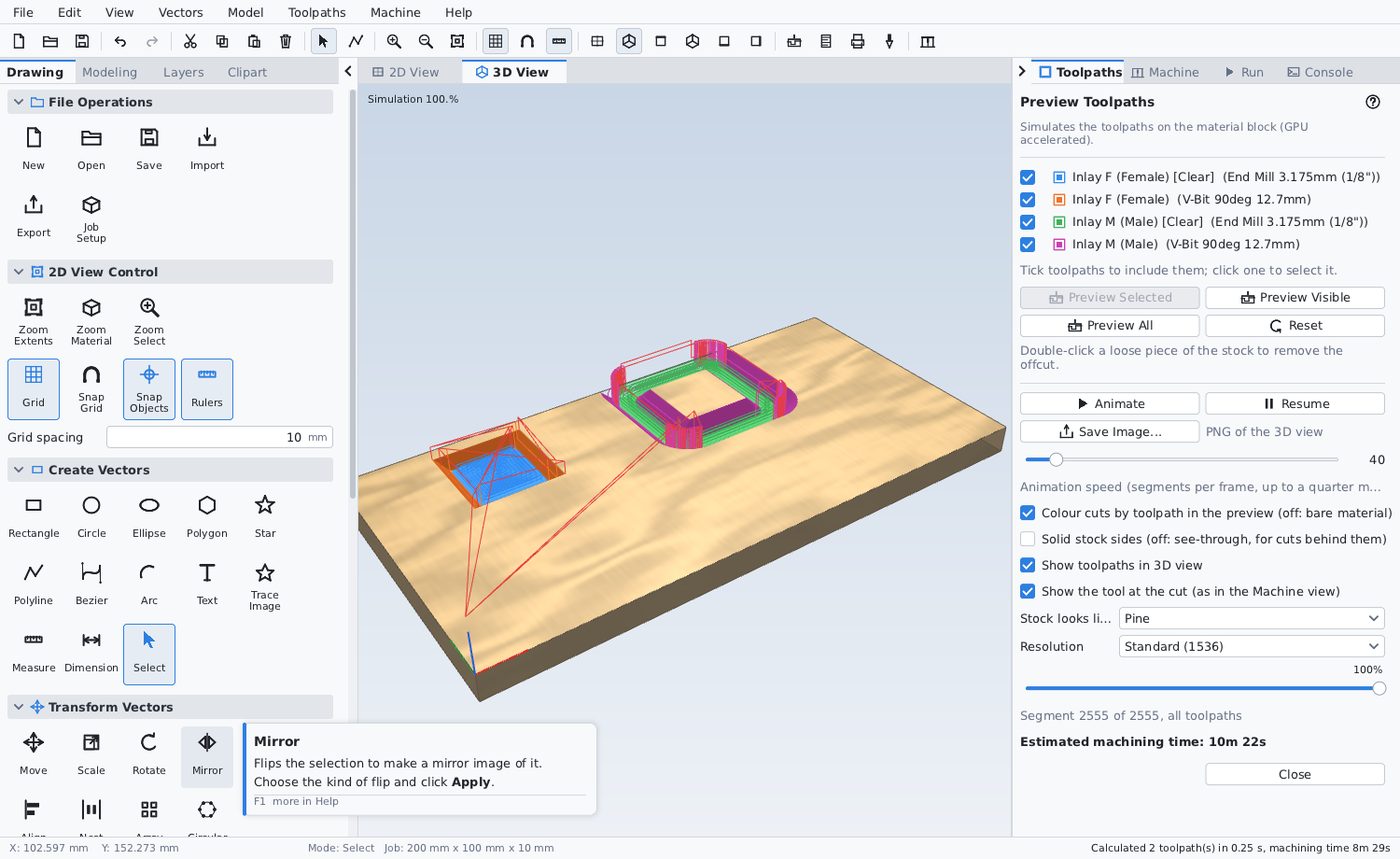
Profile, pocket, drill, V-carve, engrave, fluting, prism, texture, inlay, moulding and edge form. 3D roughing and finishing with an exact drop-cutter for every tool shape, including form tools and undercuts. Laser cut, fill and picture for diode and CO2 lasers. Rest machining on everything.
- Project any 2D toolpath onto the 3D model
- Tabs, ramps, leads, climb or conventional, multi-pass
- An Inlay Wizard that checks the male piece really fits the pocket
Tools you can trust
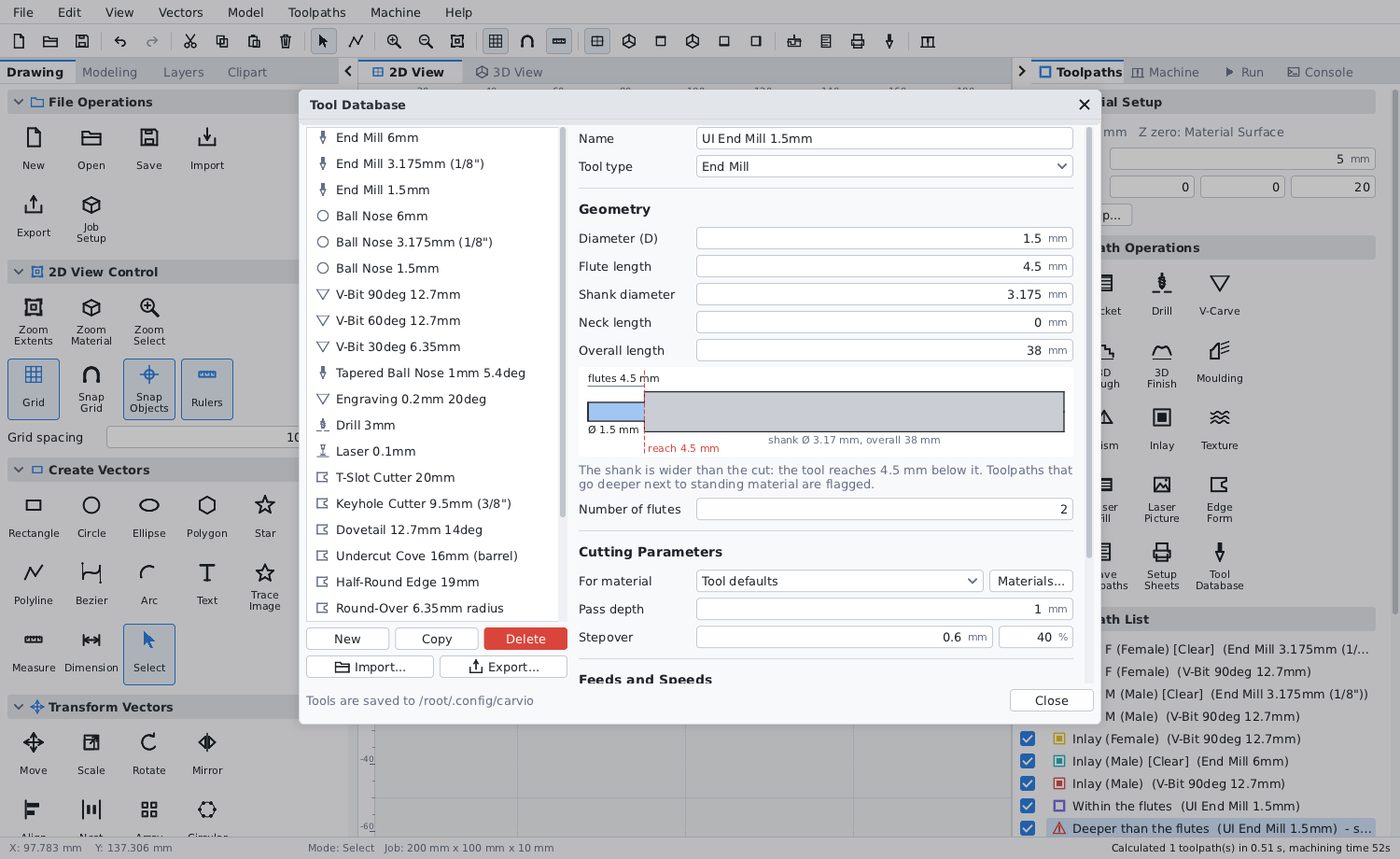
The tool database keeps feeds and speeds per material, shank and neck geometry, and warns before a small cutter on a wide shank rubs the walls. Share tool sets as .carviotools files: on this site they open as a drawing of every tool inside.
- Form Tool Designer for T-slots, keyholes, dovetails and mouldings
- Setup and tool sheets printed for the person at the machine
- Post Processor Editor for anything the bundled posts do not cover
Run the machine from the same window
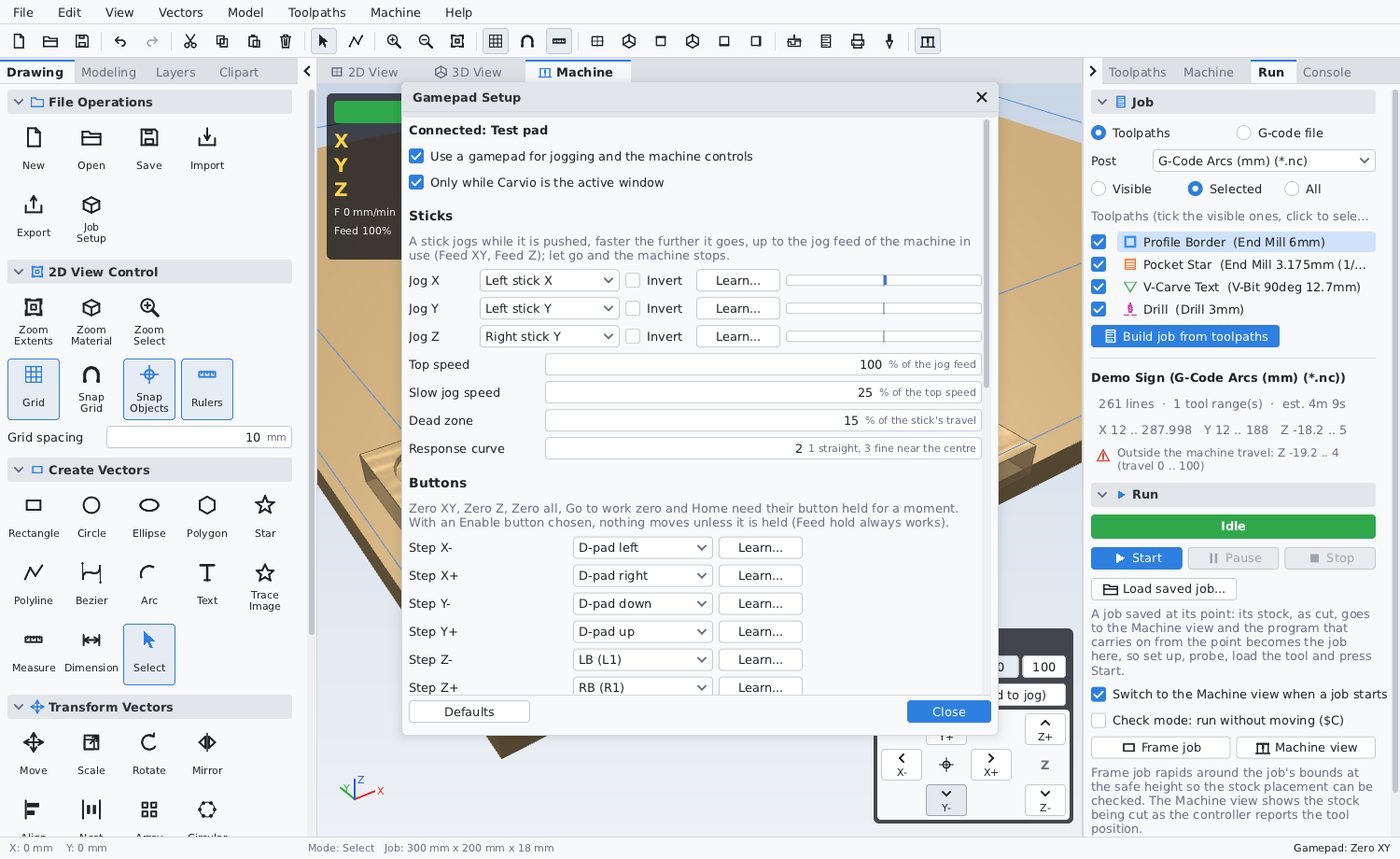
Connect to a Grbl or grblHAL controller, jog with the keyboard, the on-screen pad or a game controller, set work zero, and stream the job while the 3D view shows the cut as it happens. Pause for tool changes, save a job at a hold point and resume it another day.
- Live position, overrides, console
- Gamepad jogging with a setup window for any pad
- Machine setup for several machines
Help & manual
The complete manual, the same pages the app shows on F1, searchable and always current.
Forum
Ask, show your work, share projects and tool sets. Carvio files posted here show their preview and what is inside.
Project & clipart store
Ready-made projects and clipart from Carvio and from other makers. Sell your own designs and keep most of the price. 14 listings.
Try Carvio on your next part
The free trial has no time limit: open the example projects, draw, model, make toolpaths and watch the simulation. Saving, exporting and running the machine need a licence, which you can enter inside Carvio at any time.
Download Carvio 1.0.0